
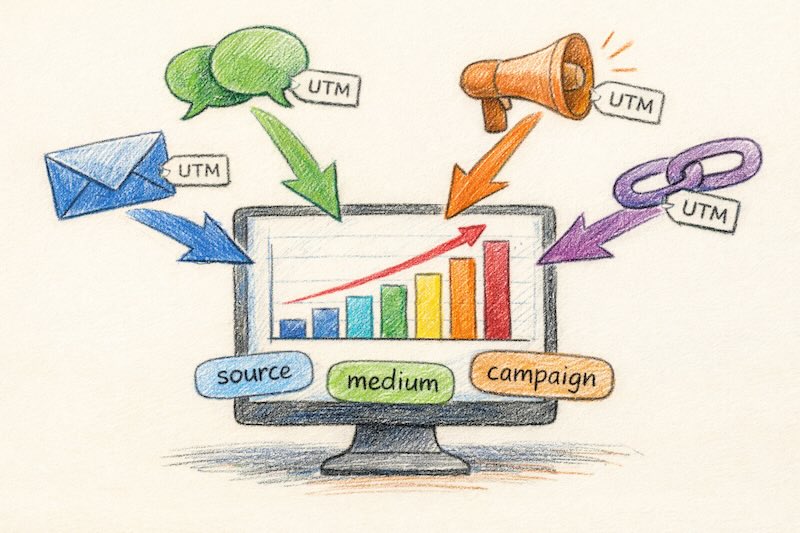
You’re running ads, sending newsletters, and posting on social media. Traffic is coming in. But when you check your analytics, everything lumps together as “direct” or “referral.” You have no idea which campaign actually drove those conversions.
This is where UTM parameters save the day. These simple URL tags let you track exactly where your traffic comes from—down to the specific ad, email, or social post that brought each visitor.
In this guide, you’ll learn what UTM parameters are, how to create them, and how to use them without making the mistakes that mess up your data.
What Are UTM Parameters?
UTM parameters are short text snippets you add to the end of a URL. When someone clicks that link, the parameters travel with them to your website. Your analytics tool then reads these tags and tells you exactly where that visitor came from.
The name comes from Urchin Tracking Module—Urchin was the analytics software Google acquired in 2005 and turned into Google Analytics. Consequently, UTM parameters work seamlessly with GA4 and most other analytics platforms, including cookieless analytics tools that are gaining popularity as privacy regulations tighten.
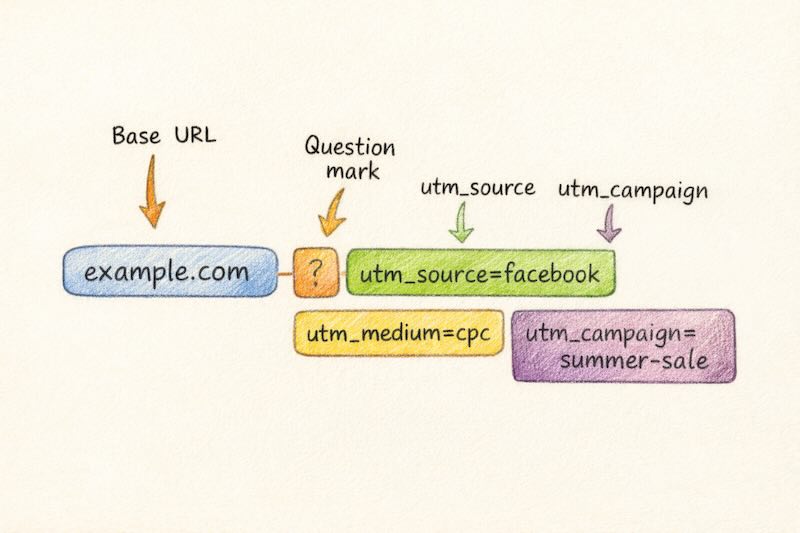
Here’s what a UTM-tagged URL looks like:
https://yoursite.com/landing-page?utm_source=facebook&utm_medium=cpc&utm_campaign=summer-saleEverything after the ? is tracking data. The visitor sees your normal page. Meanwhile, your analytics captures the source, medium, and campaign name.
The Five UTM Parameters Explained
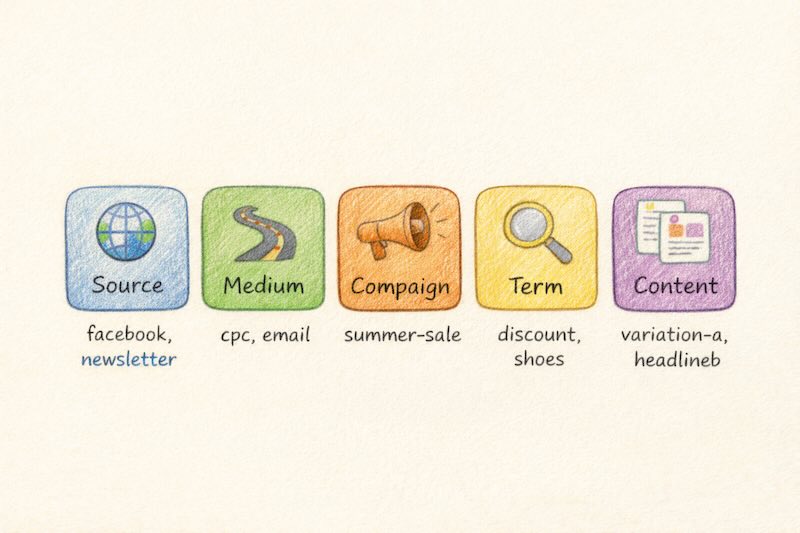
There are five UTM parameters you can use. Three are essential for basic tracking. Two are optional but useful for advanced campaigns.
Required Parameters
| Parameter | Purpose | Example |
|---|---|---|
utm_source |
Where the traffic comes from | facebook, google, newsletter |
utm_medium |
How it arrives (the marketing channel) | cpc, email, social, referral |
utm_campaign |
Which specific campaign | summer-sale, product-launch |
Optional Parameters
| Parameter | Purpose | Example |
|---|---|---|
utm_term |
Paid search keywords | running+shoes, analytics+tool |
utm_content |
Differentiate similar links | header-cta, footer-link, blue-button |
Let’s break down each one with practical examples.
utm_source: Who Sent the Traffic
This identifies the specific platform or website. Think of it as the “who” of your traffic. For instance, if you’re advertising on Facebook, your source is facebook. If you’re sending an email through Mailchimp, your source might be mailchimp or simply newsletter.
utm_medium: The Marketing Channel
Medium describes the type of traffic. It answers “how did they get here?” Common values include:
cpc— paid clicks (cost per click ads)email— email marketingsocial— organic social media postsreferral— links from other websitesdisplay— banner ads
utm_campaign: The Specific Initiative
Campaign names help you group related marketing efforts. For example, all links from your Black Friday promotion might use utm_campaign=black-friday-2026. This way, you can see total results for that campaign across all sources and mediums.
utm_term: Keyword Tracking
Originally designed for paid search keywords, utm_term tells you which search term triggered your ad. However, modern ad platforms like Google Ads have their own keyword tracking. Today, many marketers repurpose this parameter for audience segments or A/B test variations.
utm_content: Differentiating Links
When you have multiple links pointing to the same page within one campaign, utm_content helps you tell them apart. For instance, if your email has three buttons linking to the same landing page, you might tag them as header-cta, middle-cta, and footer-cta.
How to Create UTM Links
You have three main options for building UTM-tagged URLs.
Option 1: Google’s Campaign URL Builder
The simplest method is using Google’s free Campaign URL Builder. Just fill in the fields, and it generates the tagged URL for you. This works well for one-off links.
Option 2: Spreadsheet Template
For teams running multiple campaigns, a shared spreadsheet works better. Create columns for each parameter, then use a formula to concatenate them into complete URLs. This also serves as documentation—you’ll always know what tags you’ve used.
Option 3: UTM Management Tools
Tools like UTM.io or built-in features in marketing platforms automate the process. They enforce naming conventions and prevent inconsistencies.
Pro tip: Long UTM URLs look messy. Use a URL shortener like Bitly or Rebrandly to create clean links that still carry all the tracking data.
Where to View UTM Data in Google Analytics 4
Once visitors click your tagged links, their UTM data appears in GA4. Here’s how to find it:
- Open Google Analytics 4
- Go to Reports → Acquisition → Traffic acquisition
- Look at the “Session source/medium” dimension
- Click on any row to see campaign details
You can also create custom reports that break down performance by campaign, source, or any UTM parameter. For deeper analysis, the Explorations feature lets you build funnels and path analyses filtered by UTM values. This connects directly to understanding how analytics works in digital marketing and enables proper conversion funnel analysis.
UTM Best Practices
UTM tracking seems simple, but small mistakes create big data problems. Follow these practices to keep your reports clean.
1. Use Lowercase Only
GA4 treats UTM values as case-sensitive. Facebook, facebook, and FACEBOOK appear as three separate sources. Consequently, always use lowercase to prevent fragmented data.
2. Standardize Your Naming
Decide on standard values and stick to them. Will you use facebook or fb? email or newsletter? Document your choices in a shared guide. Consistency is everything.
3. Use Hyphens, Not Spaces
Spaces in URLs become %20, which looks ugly and can cause issues. Instead, use hyphens: summer-sale instead of summer sale.
4. Never Tag Internal Links
This is the most common mistake. Adding UTM parameters to links within your own site overwrites the original traffic source. If someone arrives from a Facebook ad, clicks an internal link with UTMs, they suddenly appear as coming from that internal source. Your attribution data becomes useless.
UTM parameters are for external traffic only.
5. Keep Values Descriptive
Tags like campaign1 or test123 mean nothing three months later. Use clear names: spring-webinar-2026 tells you exactly what you’re looking at.
6. Document Everything
Maintain a spreadsheet or database of all your UTM-tagged URLs. Include the campaign name, launch date, and who created it. This prevents duplicate or conflicting tags.

What to Tag (And What to Skip)
Not every link needs UTM parameters. Here’s a quick guide:
Always Tag
- Email campaigns — Without tags, email traffic often appears as “direct”
- Social media posts — Organic social can get miscategorized as referral
- Paid ads — Essential for measuring ad performance (though many platforms add their own tracking)
- Partner or affiliate links — Track which partners drive results
- QR codes — The only way to know which physical materials work
Skip Tags
- Internal links — Never tag these (as mentioned above)
- Organic search — Google Analytics handles this automatically
- Direct links in your own content — If you’re linking to your own pages, no tags needed
Connecting UTMs to Business Results
Tracking clicks and sessions is just the start. The real value comes from connecting UTM data to actual business outcomes.
When you understand which campaigns drive not just traffic but revenue, you can make smarter budget decisions. This is where UTM tracking connects to attribution models. Last-click attribution might credit the final touchpoint, but UTM data across the entire journey shows which channels introduced customers to your brand.
For example, you might discover that Facebook ads rarely get the last click, but they frequently appear as the first touchpoint for customers who later convert through email. Without proper UTM tagging, you’d never see this pattern.
Common UTM Questions
Do UTM parameters affect SEO?
No. Search engines ignore UTM parameters when indexing pages. However, to avoid duplicate content issues, ensure your canonical tags point to the clean URL without parameters.
Can users see UTM parameters?
Yes. The full URL with parameters appears in the browser’s address bar. Therefore, don’t include anything sensitive or unprofessional in your tags.
Do UTM parameters work with GA4?
Absolutely. GA4 fully supports all five UTM parameters. The data appears in your acquisition reports under dimensions like “Session source,” “Session medium,” and “Session campaign.”
What if I forget to add UTM parameters?
The traffic still arrives, but it gets categorized based on the HTTP referrer. Social traffic might appear as “referral.” Email clicks often show as “direct.” You lose the ability to segment by campaign.
Quick Reference: UTM Tagging Examples
Here are ready-to-adapt templates for common scenarios:
| Channel | Example UTM String |
|---|---|
| Facebook Ad | ?utm_source=facebook&utm_medium=cpc&utm_campaign=spring-promo |
| Email Newsletter | ?utm_source=newsletter&utm_medium=email&utm_campaign=weekly-digest |
| Twitter Post | ?utm_source=twitter&utm_medium=social&utm_campaign=product-launch |
| Partner Referral | ?utm_source=partner-name&utm_medium=referral&utm_campaign=affiliate |
| LinkedIn Ad | ?utm_source=linkedin&utm_medium=cpc&utm_campaign=b2b-leads |
Key Takeaways
UTM parameters are simple but powerful. They turn vague traffic reports into actionable insights about what’s actually working.
- Use all three required parameters:
source,medium, andcampaign - Stick to lowercase and consistent naming conventions
- Never tag internal links—UTMs are for external traffic only
- Document your tags in a shared spreadsheet or tool
- Connect UTM data to revenue for real business insights
Start simple. Tag your email links and social posts first. Once you see how much clarity UTM tracking provides, you’ll want to tag everything that comes from outside your site. For even better control over your tracking, consider implementing a data layer that captures UTM values on page load.